Aadhaar Face RD App Download, Installation, Login & Usage Guide
Identity verification in India has become much easier with the Aadhaar Face RD App. This application allows users to confirm their Aadhaar identity simply by using facial authentication on their smartphone.
UIDAI develops the app to improve digital verification and reduce the need for physical Aadhaar copies. With just a camera scan, your identity can be verified securely within seconds.
Today, this technology is used in services like pension verification, ration distribution, banking, and government schemes. In this article, you will learn how to download, install, login, and use the Aadhaar Face RD app step-by-step.
What is Aadhaar Face RD App?
The Aadhaar Face RD App is an official UIDAI application that enables Aadhaar authentication using facial recognition technology. Instead of fingerprint or iris scanning, the system verifies your identity through a live face scan using your smartphone camera. This method is quick, secure, and convenient.
The app is widely used by banks, telecom companies, government departments, and other organizations that require Aadhaar-based verification. It also supports Digital India initiatives by making identity verification paperless and accessible anywhere.
Aadhaar Face RD App Download Options
Downloading the Aadhaar Face RD app is simple and takes only a few minutes.
Android Users
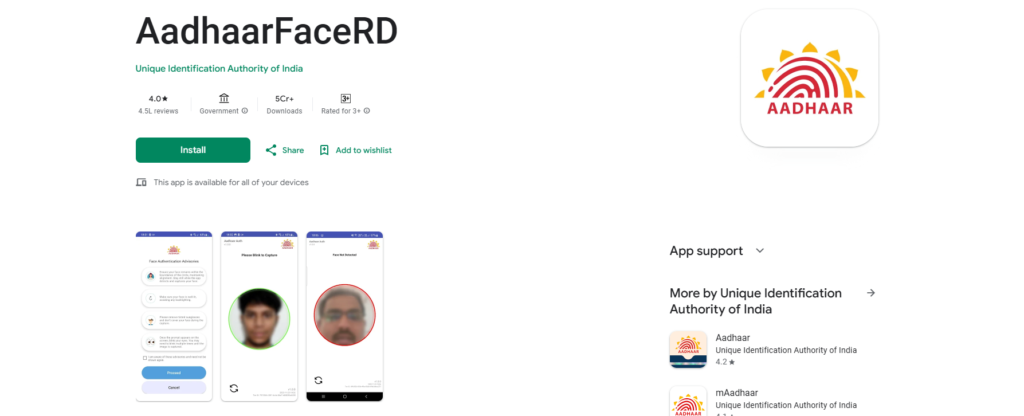
Android users can download the app directly from the Google Play Store. Simply open the Play Store and search for Aadhaar Face RD.
Tap the install button and wait for the download to complete. The app size may vary depending on the device version.
iPhone (iOS) Users
Currently, UIDAI has mainly focused on Android support for this application. The iOS version may be released in future updates.
Users should regularly check the UIDAI official website for announcements regarding the iPhone version.
APK Download
Users are advised not to download APK files from third-party websites. These files may contain security risks. Always download the Aadhaar Face RD app from trusted sources such as the official Play Store or UIDAI links.
Aadhaar Face RD App Installation
After downloading the app, installation is quick and simple.
- First, open the app from your mobile device after installation. The application will ask for necessary permissions such as camera access and internet connectivity.
- Next, enter your Aadhaar number and captcha code. You may also receive an OTP for verification.
- Once the OTP is confirmed, the device registration process will complete automatically.
- After this step, your Aadhaar Face RD app will be ready to use.
Aadhaar Face RD App Login Process
Logging into the Aadhaar Face RD app is straightforward and secure.
- Open the app on your smartphone and enter your Aadhaar number. In some cases, OTP verification may be required.
- After verification, the camera will open automatically to scan your face.
- Look directly at the camera and blink when prompted to confirm live authentication.
- Within seconds, UIDAI servers will verify your identity and complete the login process.
How to Use Aadhaar Face RD App
Using the Aadhaar Face RD app for authentication is very easy.
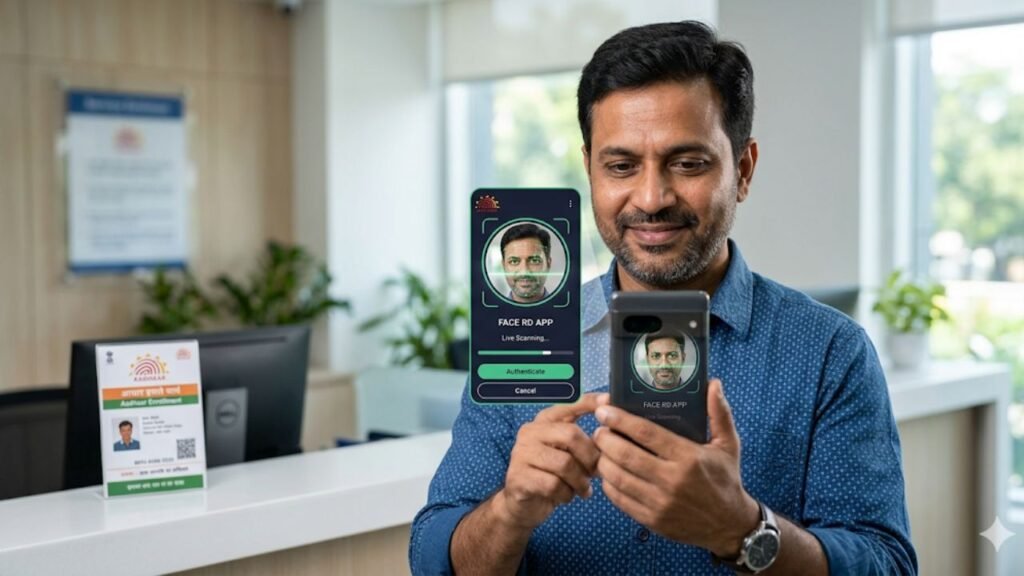
- First, open the application and enter the details requested by the service provider, such as an Aadhaar number or a QR code.
- Next, provide consent for the data fields that need to be shared, such as name, date of birth, or address.
- After that, hold the phone steady and look at the camera. The app will perform a quick facial scan.
- Once the system verifies your face with UIDAI records, authentication is completed instantly.
Where Aadhaar Face Authentication is Used
The Aadhaar Face RD system is already being used across many government and private services.
- Jeevan Pramaan: Pensioners can submit their digital life certificate without visiting a bank branch.
- Public Distribution System: Ration shops can verify beneficiaries easily using face authentication.
- Scholarships and Education: Students can confirm identity for scholarship applications and payments.
- Banking and Finance: Banks use face authentication for KYC verification and account services.
- Government Schemes: Farmers and citizens receiving welfare benefits can verify identity quickly.
Common Aadhaar Face RD App Issues and Fixes
| Issue | Recommended Fix |
|---|---|
| App shows “Device Not Compatible” | Update your Android device to the latest software version. The app works best on Android 9.0 or higher. |
| App Not Working Properly | Check your internet connection and update the Aadhaar RD Face app from the Google Play Store. |
| Face Not Detected by Camera | Move to a well-lit area and keep your face clearly inside the camera frame while scanning. |
| Login Failed or OTP Error | Ensure the Aadhaar number is correct and check if your registered mobile number is active to receive OTP. |
| App Crashing or Freezing | Clear the app cache or reinstall the application to fix temporary glitches. |
| Slow Authentication Process | Ensure a stable internet connection and hold the phone steady during face scan. |
Security and Privacy
The Aadhaar Face RD app follows strict security guidelines set by UIDAI. All authentication processes use end-to-end encryption to protect user information. Users must give consent before any Aadhaar data is shared with a service provider.
Importantly, the application does not store Aadhaar data on the mobile device after verification. This ensures maximum privacy and protection for users.
Aadhaar Face RD App FAQs
What is the Aadhaar Face RD App used for?
The Aadhaar Face RD App is used for face-based Aadhaar authentication. It allows users to verify their identity using their smartphone camera instead of fingerprints or iris scans.
How can I download the Aadhaar Face RD App?
You can download the Aadhaar Face RD App from the Google Play Store. Simply search for “Aadhaar Face RD” and install the official app developed for Aadhaar authentication services.
Is the Aadhaar Face RD App available for iPhone?
Currently, the Aadhaar Face RD App mainly supports Android devices. UIDAI may release an iOS version in the future, so users should check official updates regularly.
Why is the Aadhaar Face RD App not working on my phone?
If the app is not working, it may be due to device compatibility issues, outdated Android version, poor internet connection, or camera permissions not enabled.
Is Aadhaar Face authentication safe and secure?
Yes, Aadhaar Face authentication is highly secure. The system uses UIDAI’s encrypted verification process, and user data is not stored on the device after authentication.
Conclusion
Aadhaar Face RD App is transforming identity verification in India. With advanced face authentication technology, users can verify their Aadhaar identity quickly without fingerprints or documents.
This app is especially useful for pensioners, students, farmers, and banking customers who need secure Aadhaar verification for various services.
As digital services expand across India, tools like the Aadhaar RD app will play a major role in making identity verification fast, secure, and paperless.
For more updates on Aadhaar services and government schemes, visit https://teluguschemealert.com/, where you can find guides on Indiramma Illu, PM Kisan payment status, and ration card Aadhaar services.